
Unexpected
payments
Recurring payments are easy to forget until they happen.
 Quotra — personal finance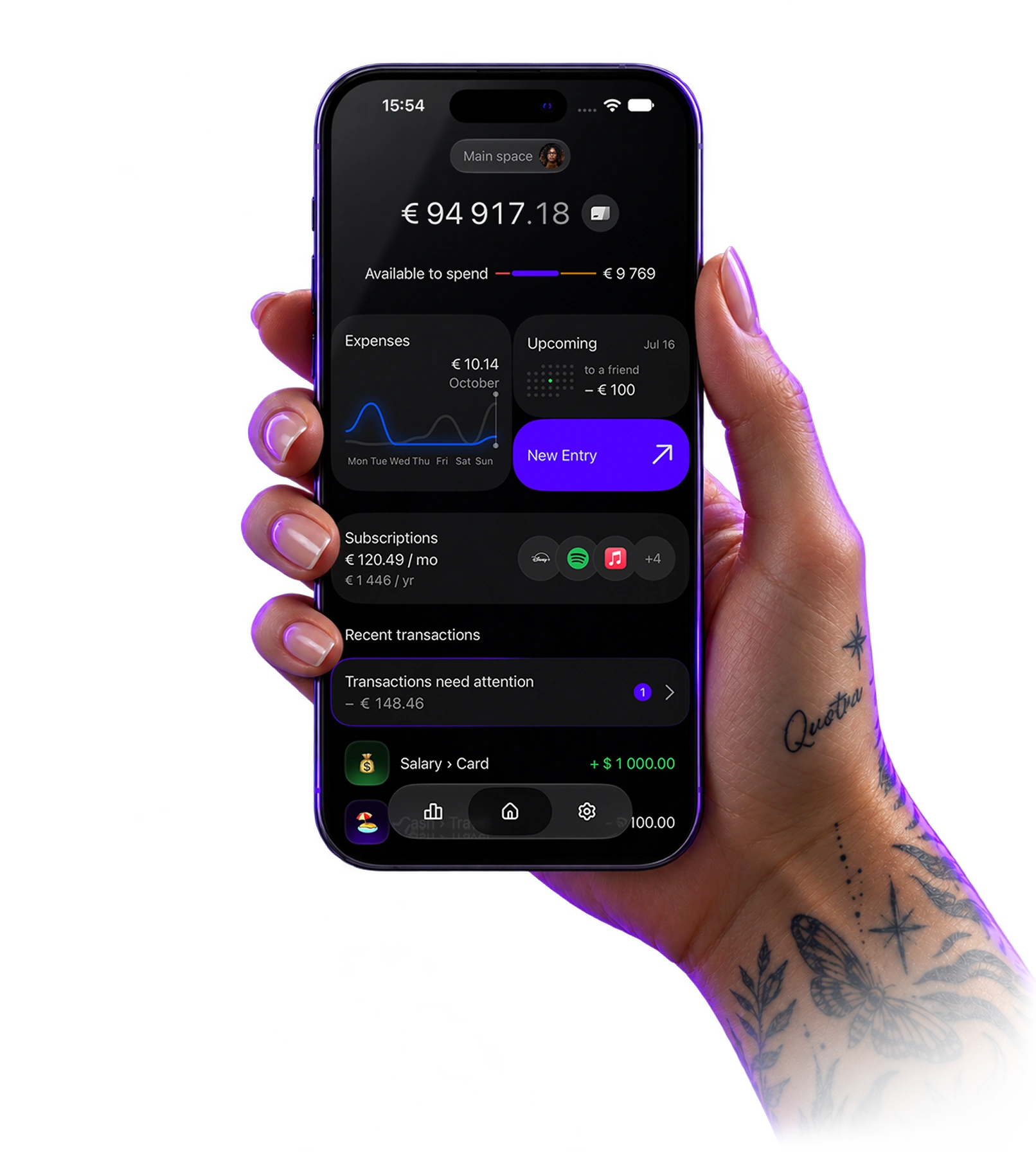
Quotra helps you see what you have, what’s coming up and how much is left to spend.
For iPhone. No sign-up.
Your balance looks fine. But bills, subscriptions and everyday spending are still ahead.
Recurring payments are easy to forget until they happen.
It’s hard to see the full picture when your money is spread across accounts.
Even when you know your balance, it’s not always clear how much you can comfortably spend.
Your balance looks fine. But bills, subscriptions and everyday spending are still ahead.
A clear picture of your money, without extra calculations.
Make everyday money decisions knowing what you can afford.
Account for future expenses and income, not just today’s balance.
Add your accounts, record income and expenses, and see how your money changes.
No more adding up balances in your head.
Rent, subscriptions, recurring payments and expected income — see what to account for when planning your budget.
Keep upcoming financial events in one place.
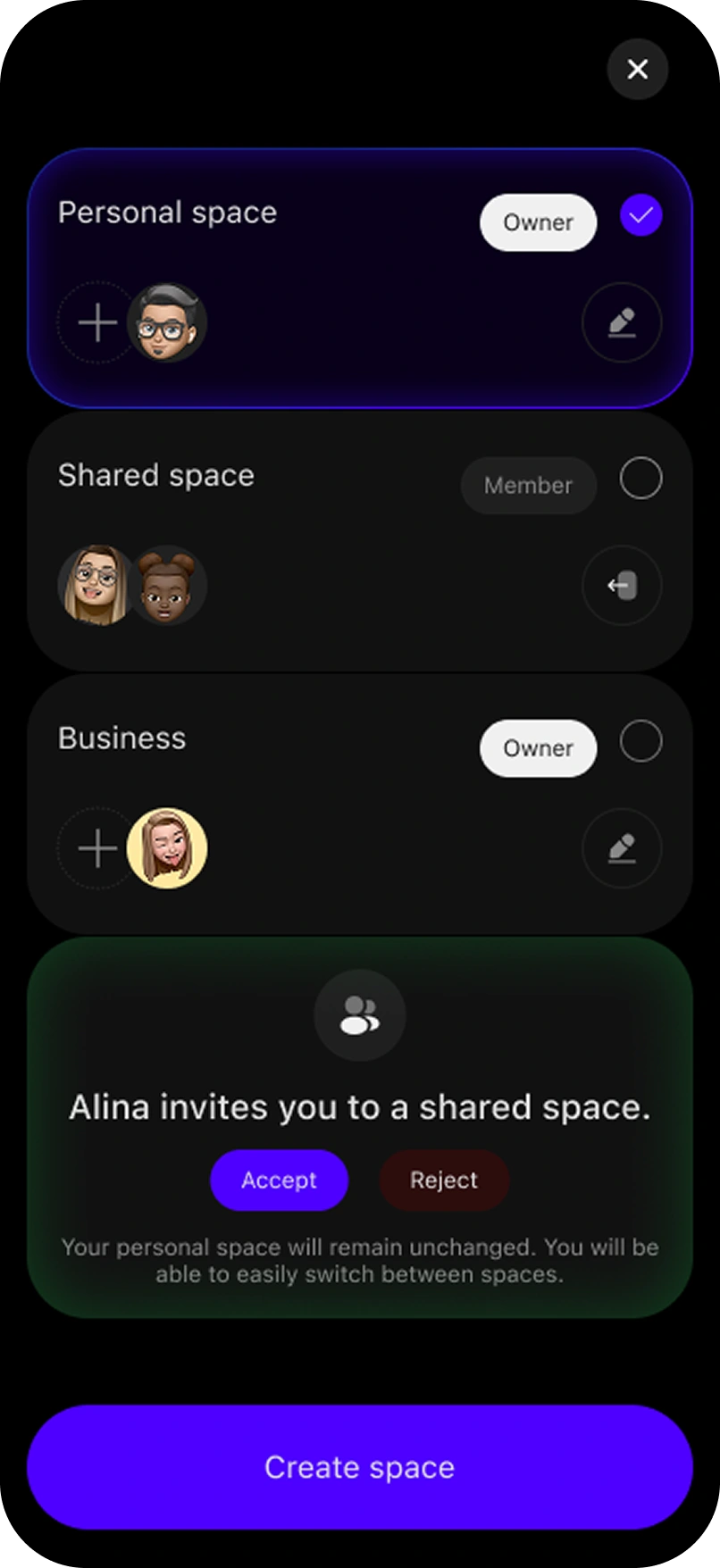
Manage your own finances, or create a shared space to budget with a partner or family.
Keep personal money separate and shared money together.
You don’t need spreadsheets or dozens of charts to manage your money.
Quotra is built around a simple idea: show what matters, help you plan ahead, and keep you in control of your money.
Less complexity. More clarity.
Everything you need to know.
Yes. Quotra is free to download, with optional paid features. Current terms and pricing are available in the App Store and in the app.
Quotra helps you do more than record income and expenses. It shows what you can spend and accounts for upcoming payments.
Yes. Shared spaces let you manage money with a partner or family.
Yes. Add subscriptions and recurring payments to see upcoming charges.
It helps you estimate how much money is available to spend after accounting for planned financial events.
Yes. Start with accounts, income and expenses, then add other features when you need them.
Know what you have today, what you can spend and what’s coming next.
Start for free.